These features are reserved for the Enterprise

Prerequisites:
- Own an organization in Finalcad One
- Have a superadmin or delivery role
Step 1: Create a client from Onaya Réno
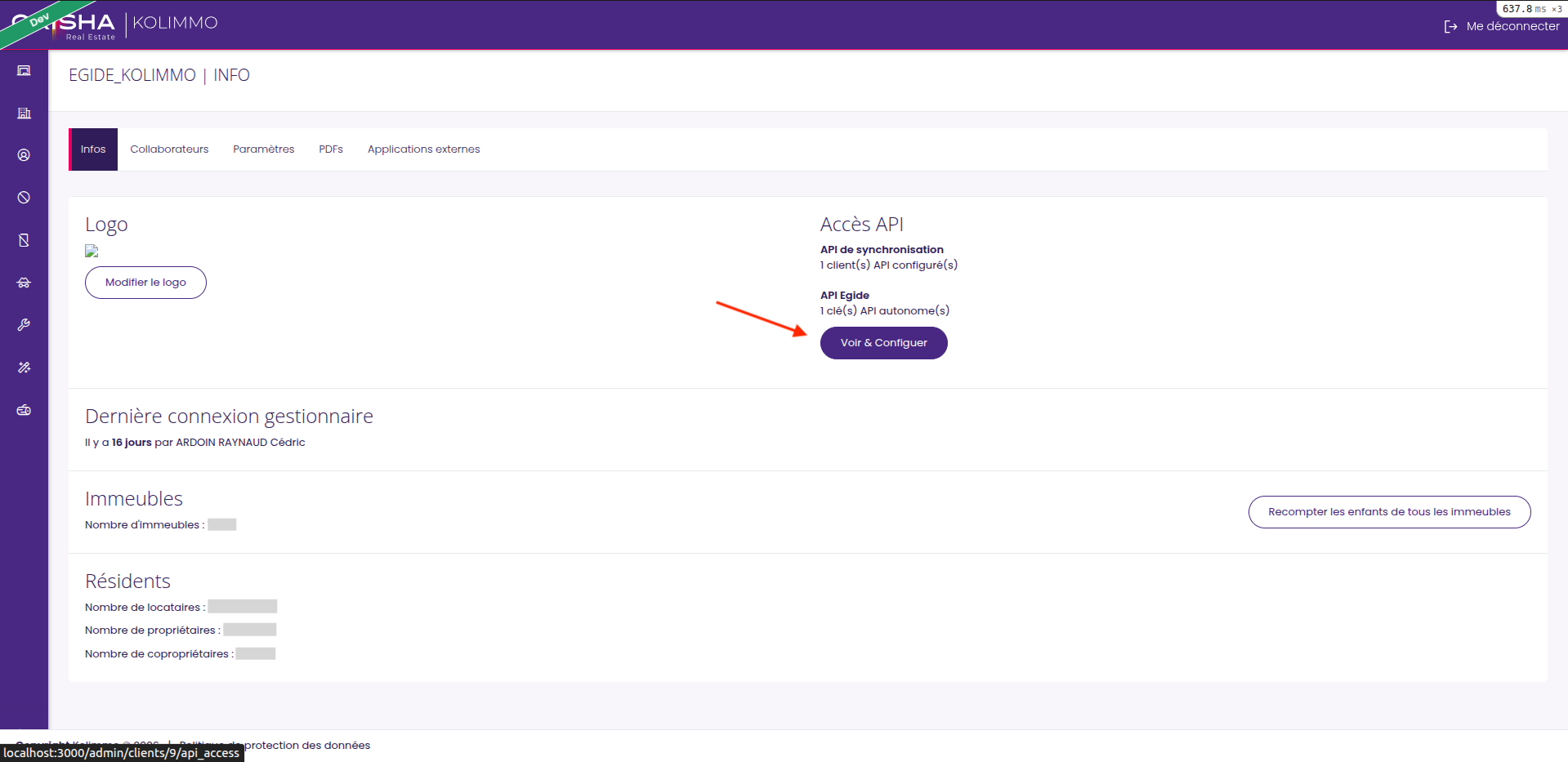
Go to Onaya Réno and create a new client.
Step 2: Retrieve the client's API key
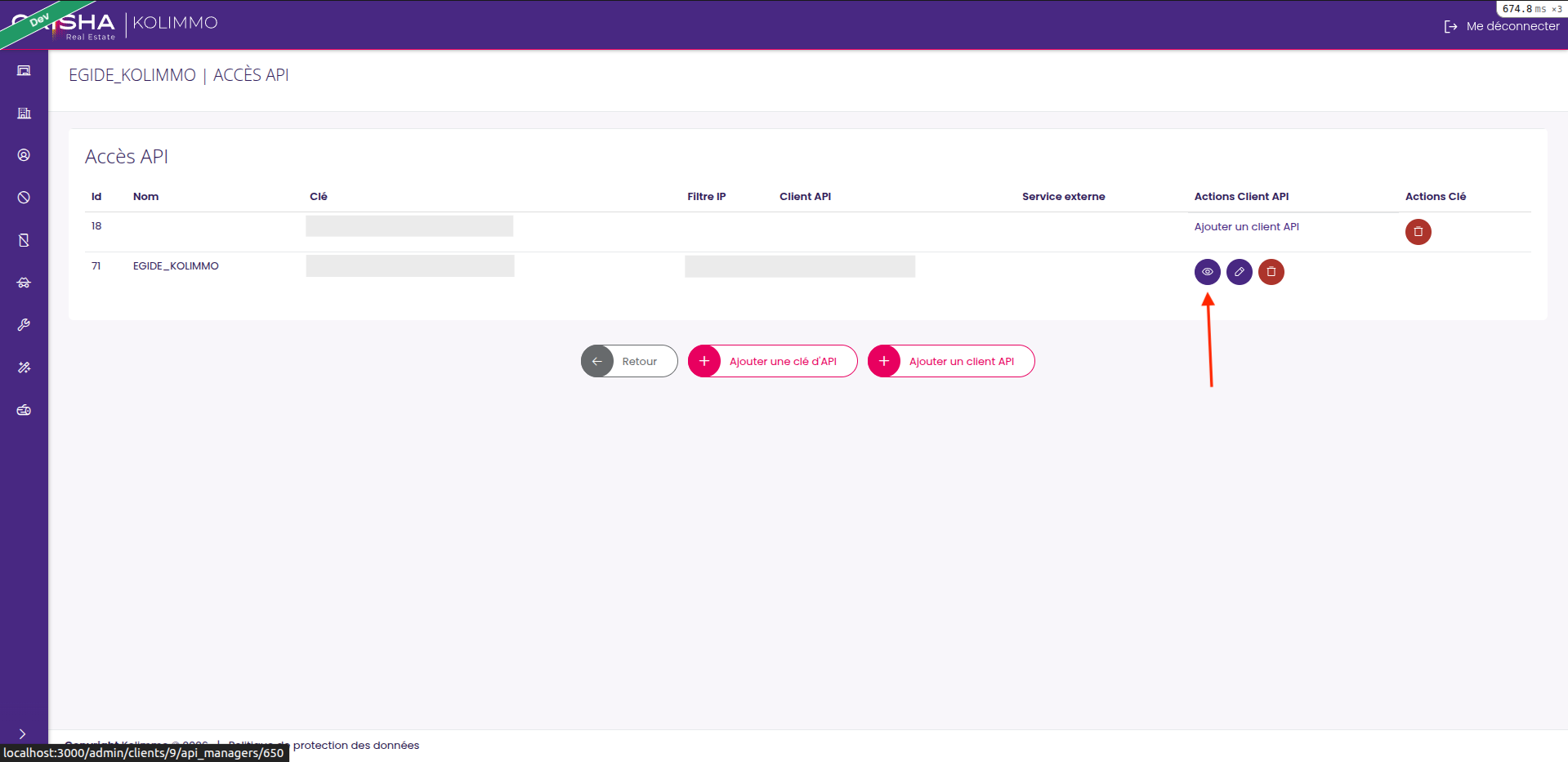
| A: Go to the client file
| B : Click on the visualization button
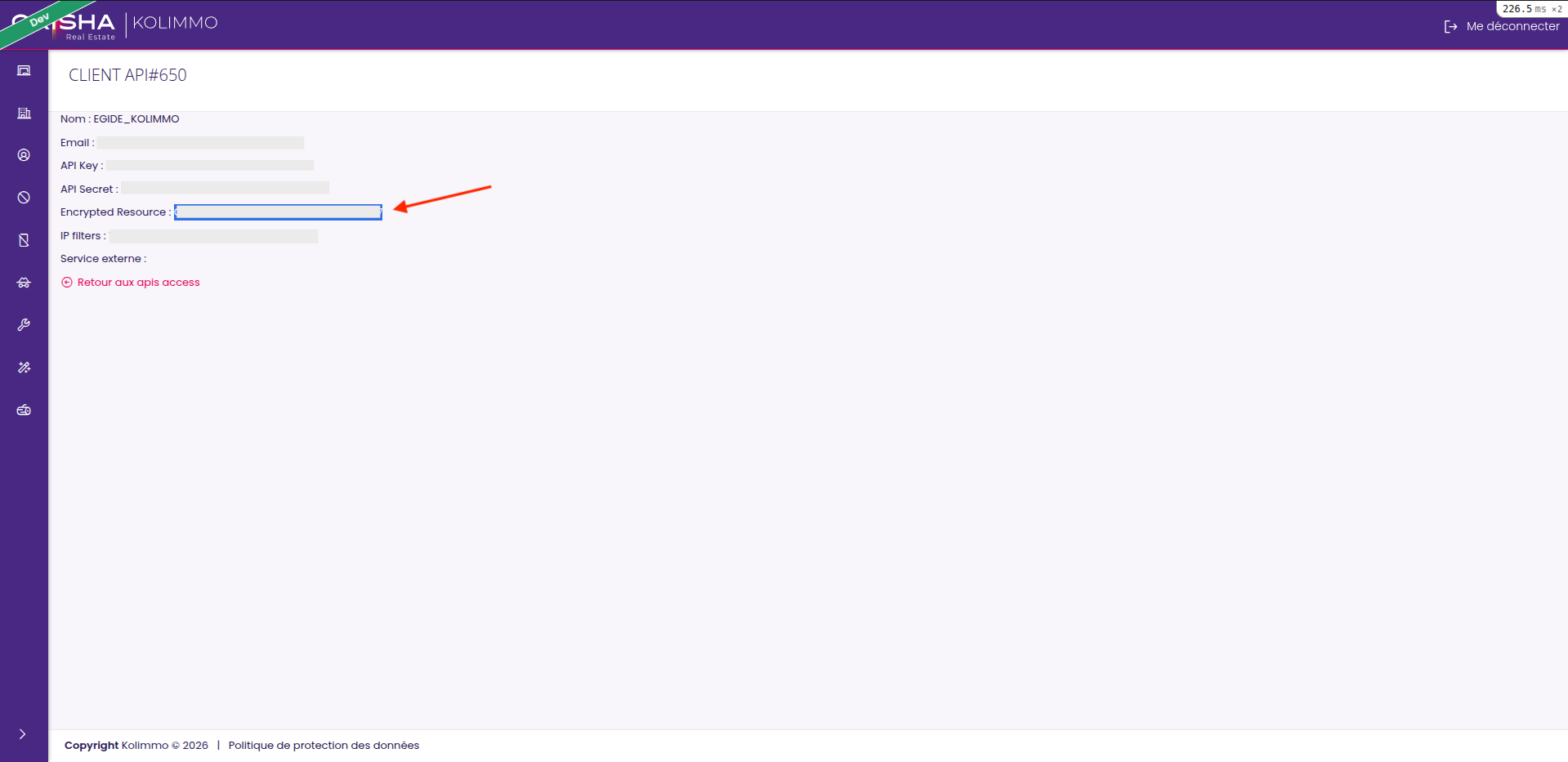
| C : Retrieve the value present in the "encrypted resource" field

For security reasons, an API key is a unique code that must not be shared.
Step 3: Enter the API key in your organization
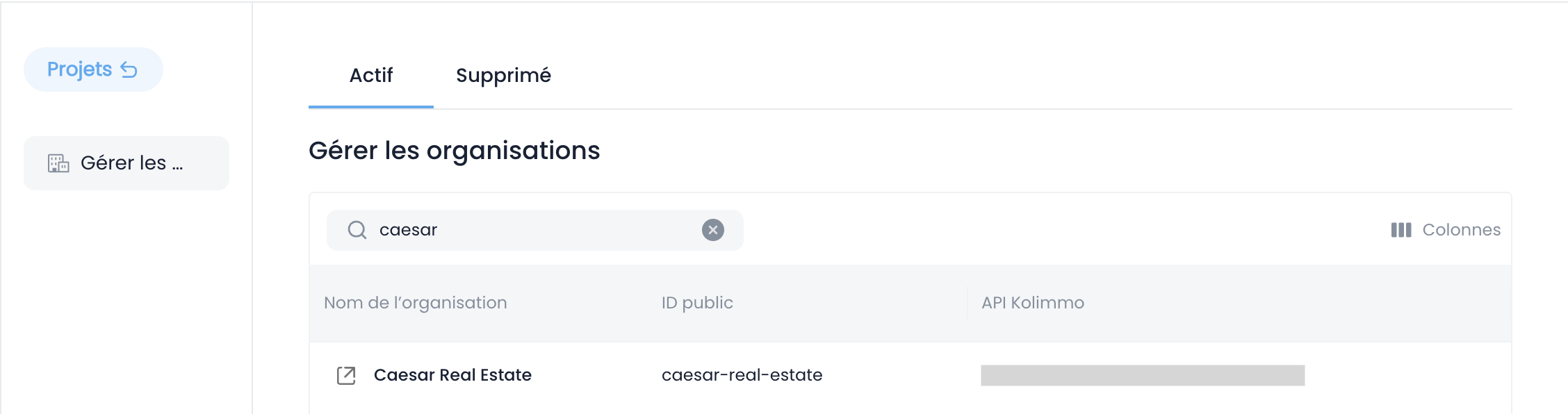
To do this, go back to Finalcad One and navigate to the superadmin table to enter the key value in the "API" field.
Once the value is entered, the Finalcad One organization is connected with the Onaya Réno client.
If the field is not visible, it is probably disabled for this table. Reactivate it by clicking the column management button.
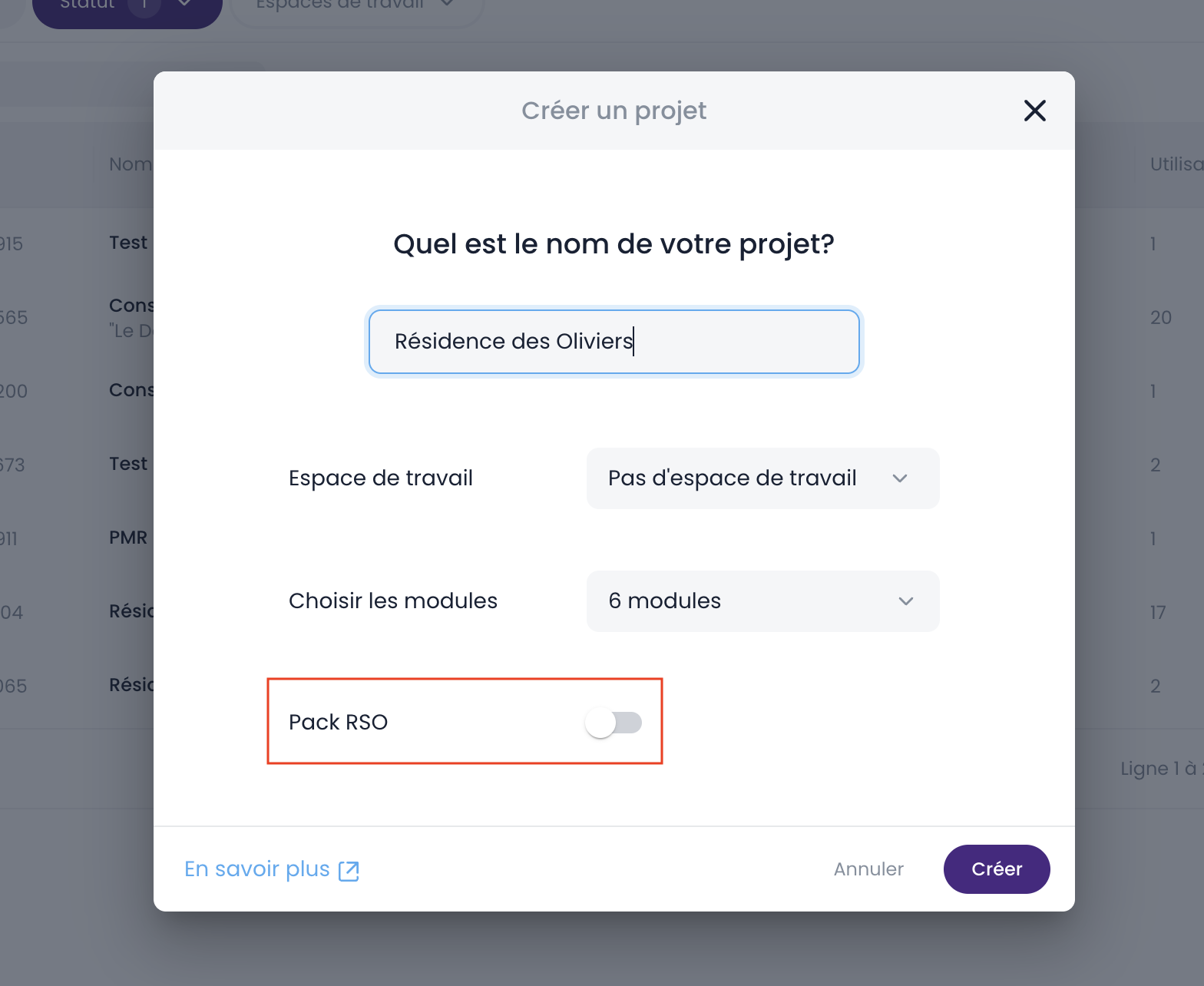
Step 4: Create a project by enabling the option
When creating a project, make sure to check the "RSO Pack" option to link the new Finalcad One project with the Onaya Réno platform. From now on, information entered in Finalcad One will correctly sync to Onaya Réno.
If you don't see the option, verify that the API key entered is correct and that your permissions granted in Finalcad One are superadmin or delivery.