
Finalcad One dashboards let you see your data to optimize your project tracking and help you make decisions.
From your mobile, you can access dashboards within an observation or form module of your project.

Dashboards on mobile are available starting from the Free plan.
Breakdown by number of items
To access a dashboard on mobile:
Open the module you want from your mobile
In the navigation bar, select “Choose a display mode” then “Dashboard” to show the dashboard.
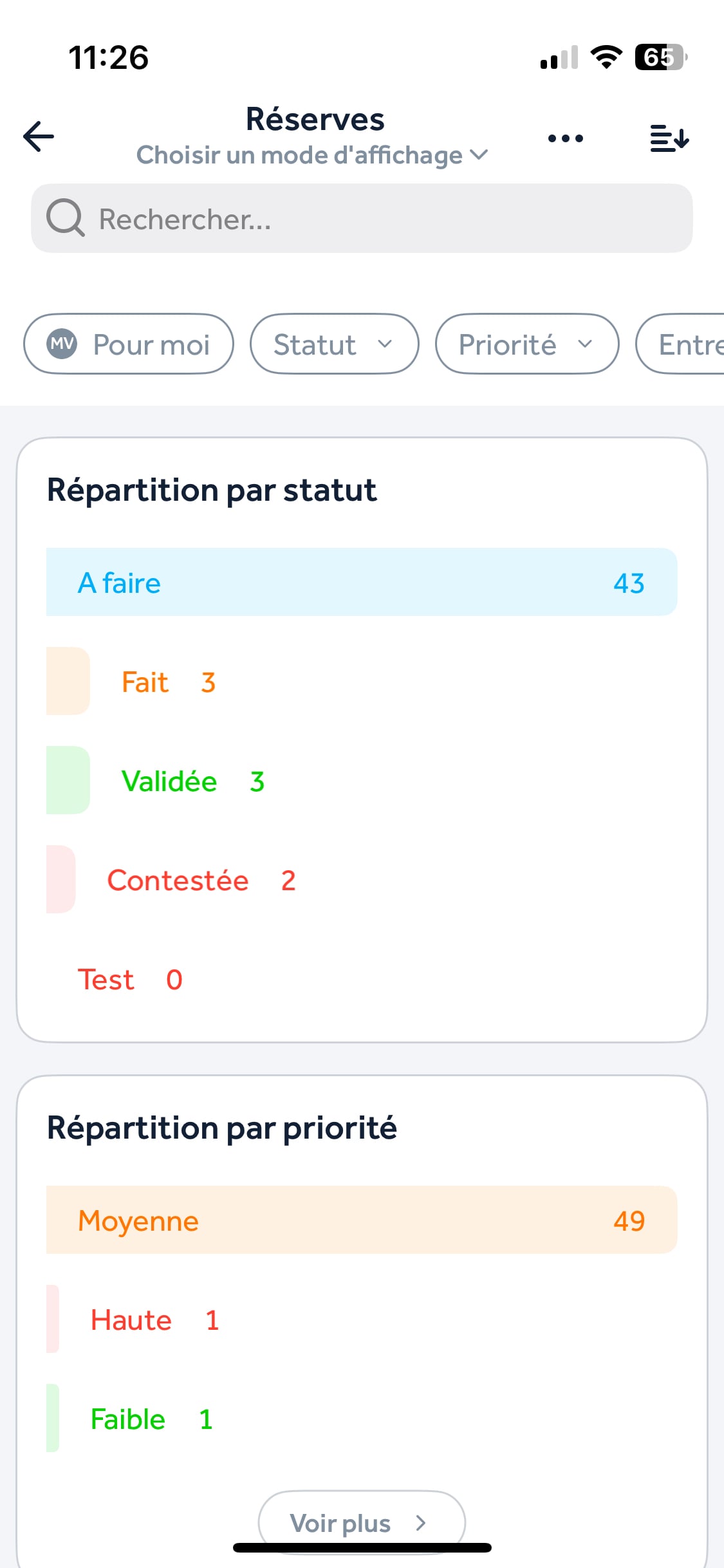
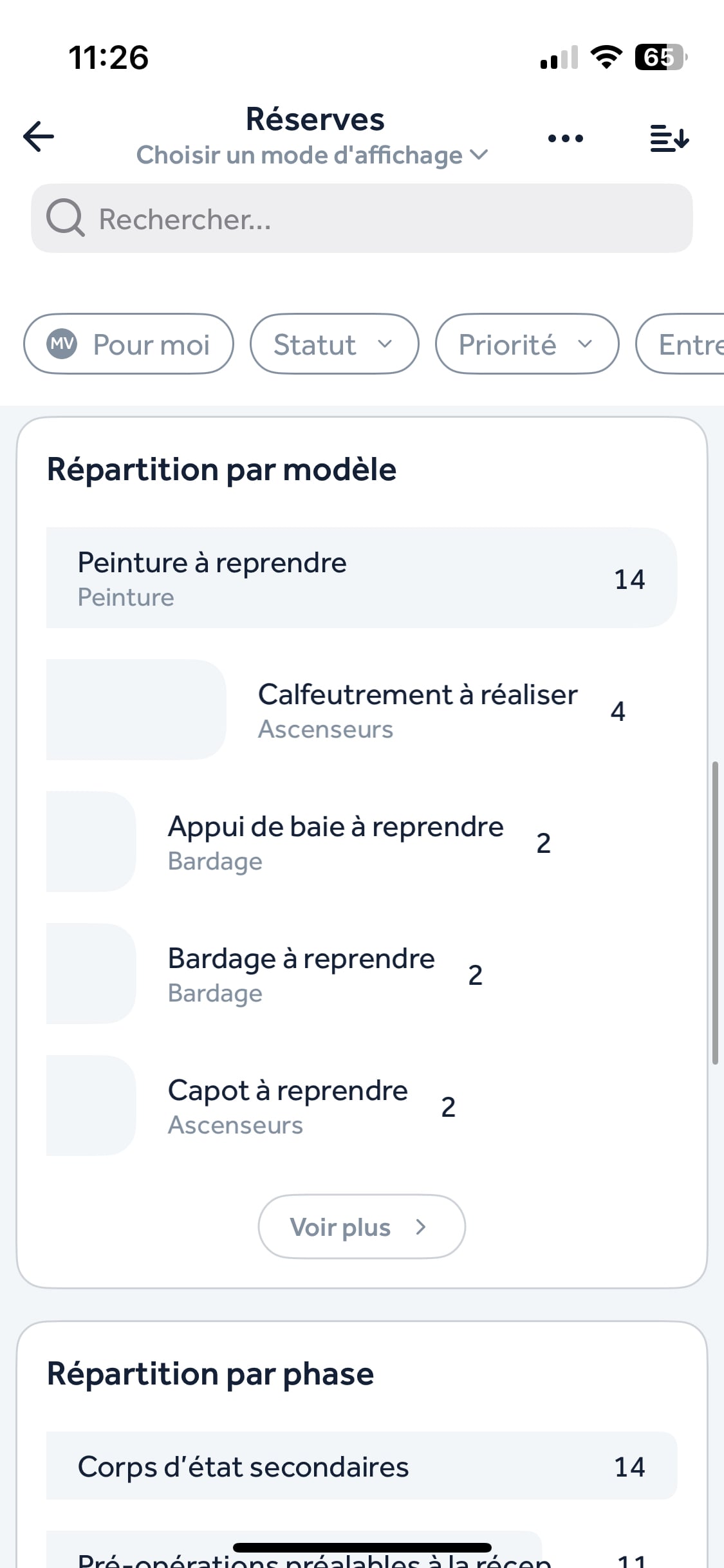
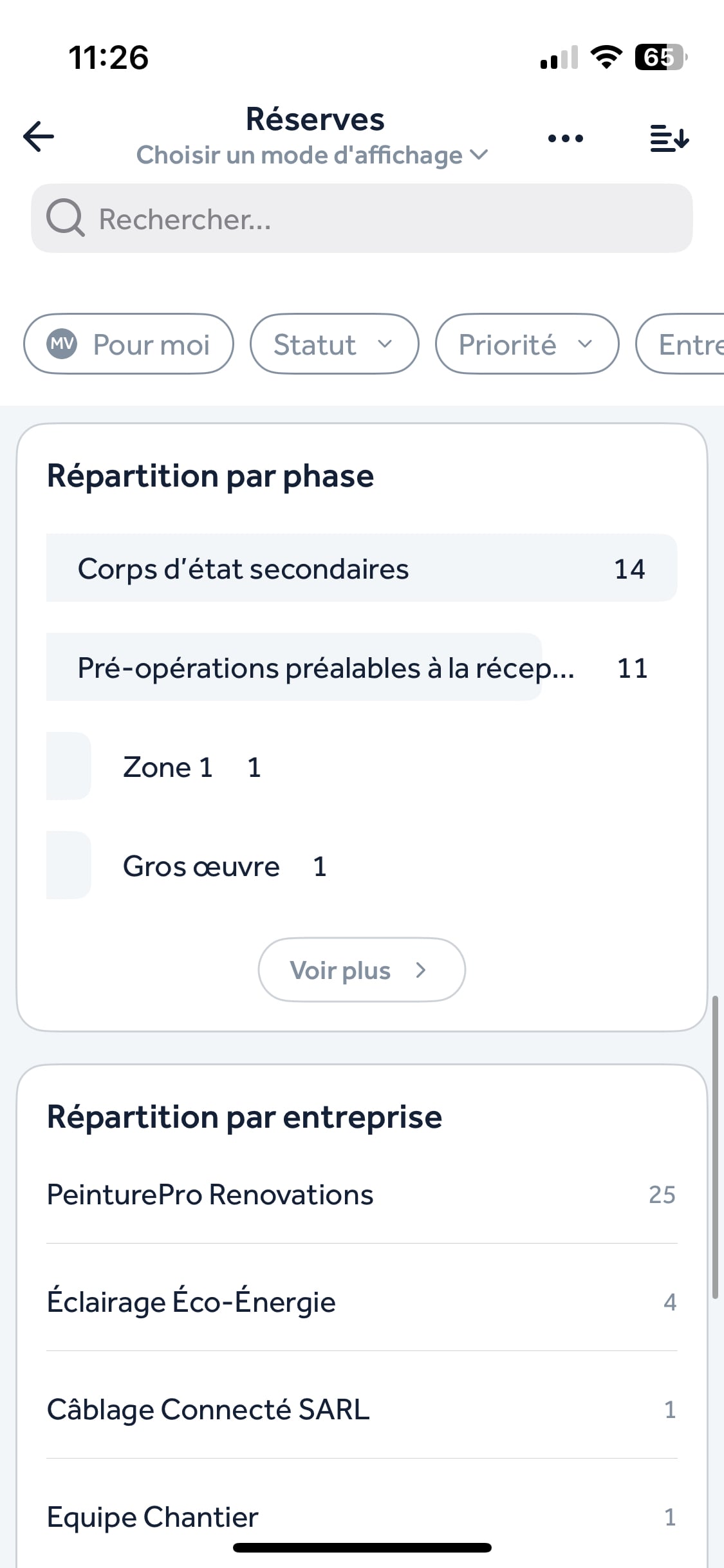
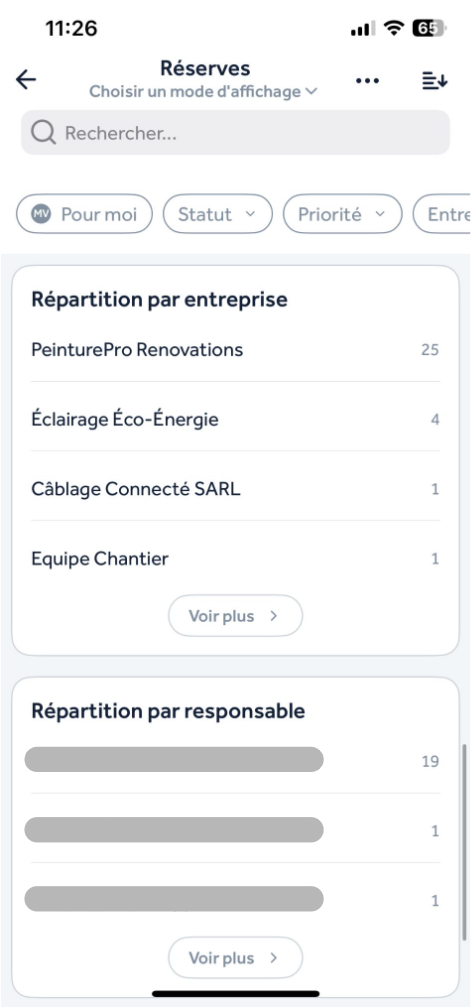
Different breakdowns let you know the number of items according to their:
Status
Priority
Template
Phase
Company
Owner
Module indicator
You can also personalize your module indicator to keep track of it better. Here's how:
Go to your project’s homepage
Long press on the module
Select “Module indicator”
Pick the number you want to show and confirm by clicking “Done”